
Strength 1
Complex text rendering
Qwen Image 2.0 is a strong option for posters, packaging, menus, and information-rich graphics because text rendering is a core public strength of the model.
Latest generation
Preview is ready. Generate a new version or open the full image in a new tab.
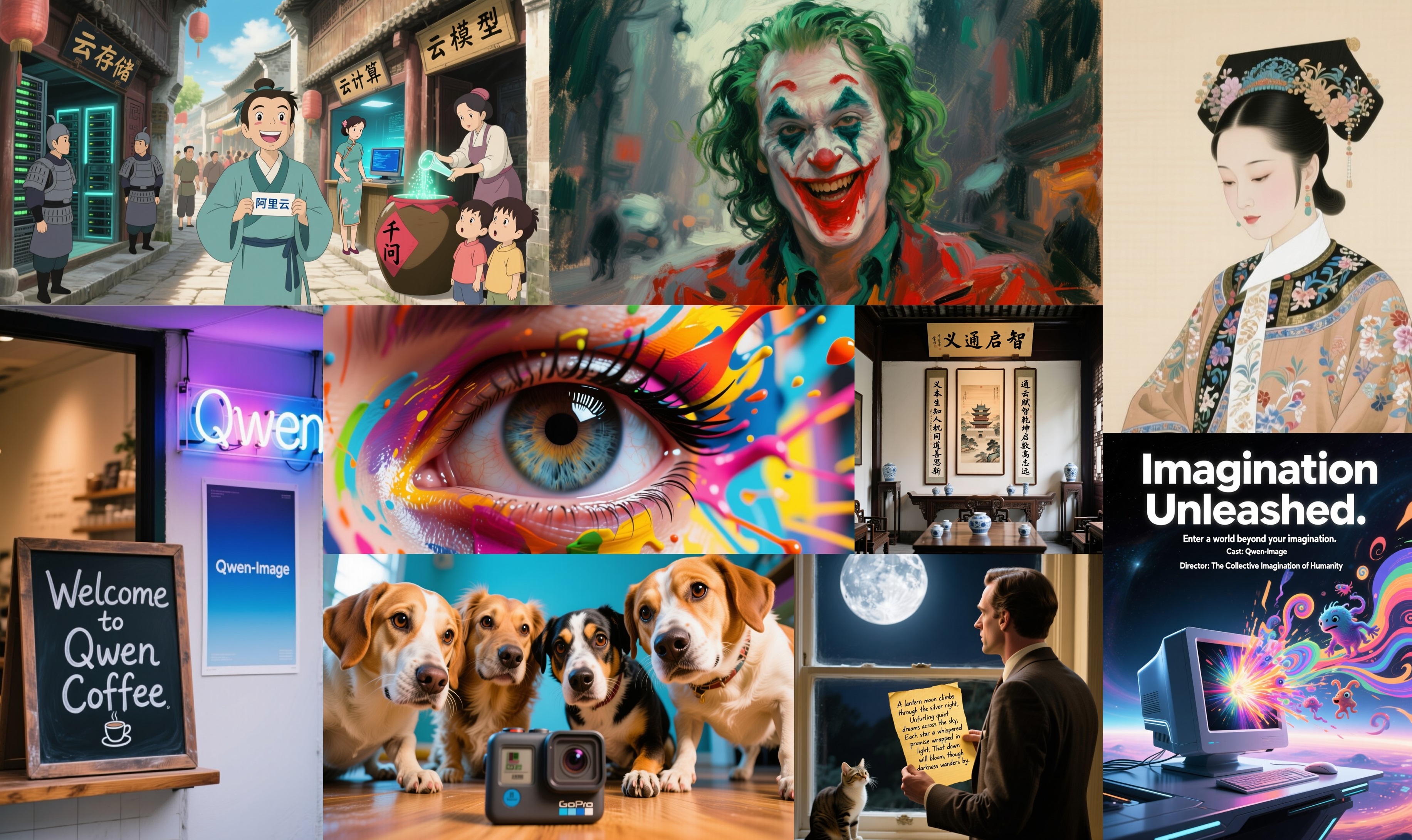
Create text-rich commercial stills with negative prompts, seed control, and bilingual typography using Qwen Image 2.0 on CutFly.


Qwen Image 2.0 is a strong option for posters, packaging, menus, and information-rich graphics because text rendering is a core public strength of the model.
Few models on CutFly expose this many controls. Negative prompts, seed, guidance scale, inference steps, and acceleration make Qwen Image 2.0 useful for operators who care about repeatability.
Official Qwen Image materials emphasize strong complex text rendering, competitive generation quality, and robust image editing performance. On CutFly, the model stands out because it combines that general capability with a deeper control surface than most of the catalog, including negative prompts, seed, guidance scale, inference steps, and acceleration.
That makes Qwen Image 2.0 especially useful for teams that want more than a simple prompt box. If you need bilingual posters, text-heavy commercial designs, or repeatable runs that can be tuned and reproduced, Qwen Image 2.0 is easier to defend than a simpler one-click route.
Qwen Image 2.0 is a strong option for posters, packaging, menus, and information-rich graphics because text rendering is a core public strength of the model.
Few models on CutFly expose this many controls. Negative prompts, seed, guidance scale, inference steps, and acceleration make Qwen Image 2.0 useful for operators who care about repeatability.
Because the model is comfortable with both Chinese and English text, it suits regional marketing, cross-border commerce, and design systems that need more than English-only output.
Explore what Qwen Image 2.0 can look like in practice. Browse a mixed feed of stills and motion samples inspired by this model's strengths.


These are the situations where Qwen Image 2.0 fits best, especially when the work combines strong text handling with deeper generation controls.
Use Qwen Image 2.0 for posters, cards, menus, and event graphics where Chinese and English text both need to render cleanly.
It is well suited to ad, retail, and commerce work where the team wants seeds and prompt controls to keep results more reproducible across rounds.
Creative teams can use it when they want to test several design directions while preserving enough control to compare them methodically.
Solo operators and advanced creators can use Qwen Image 2.0 when they want more knobs to tune instead of a simpler but less controllable generation flow.
Qwen Image 2.0 is most compelling when the team wants both strong text performance and enough controls to make the workflow reproducible.
Choose Qwen Image 2.0 when text rendering, bilingual output, and advanced generation controls all matter to the job.
Compare it with GPT Image 1.5, Seedream 5.0, and Wan2.6 Image if you are balancing text performance, premium polish, and broader workflow flexibility.
Use this page to decide whether Qwen Image 2.0 should be your text-heavy design model, your advanced-control generator, or your bilingual commercial still route.
These links help you move from Qwen Image 2.0 evaluation into controllable image production on CutFly.
Compare Qwen Image 2.0 with other image models if you need to justify deeper controls against simpler workflows.
Review examples to see how text-rich designs and controlled commercial stills behave across the platform.
Jump into finished use cases if you want to see where controlled text-heavy imagery turns into shipping assets.
Qwen Image 2.0 is best for practical still-image workflows where generation quality and editing-oriented flexibility both matter.
Yes. It is a reasonable option for commercial stills, campaign assets, and structured creative production where images may be revised after the first pass.
Because both can appeal to users who value flexibility and generation-plus-editing logic, so the real choice often depends on workflow preference and output style.
No. It can also be relevant for solo creators and smaller teams that want a more practical and revision-aware image route.
Because Qwen Image 2.0 is easier to judge when you can compare workflow fit, use cases, and next steps instead of relying on a short summary.
Ideally they should compare nearby routes, open the workspace, or continue deeper into the image catalog with a clearer idea of which model fits their job.